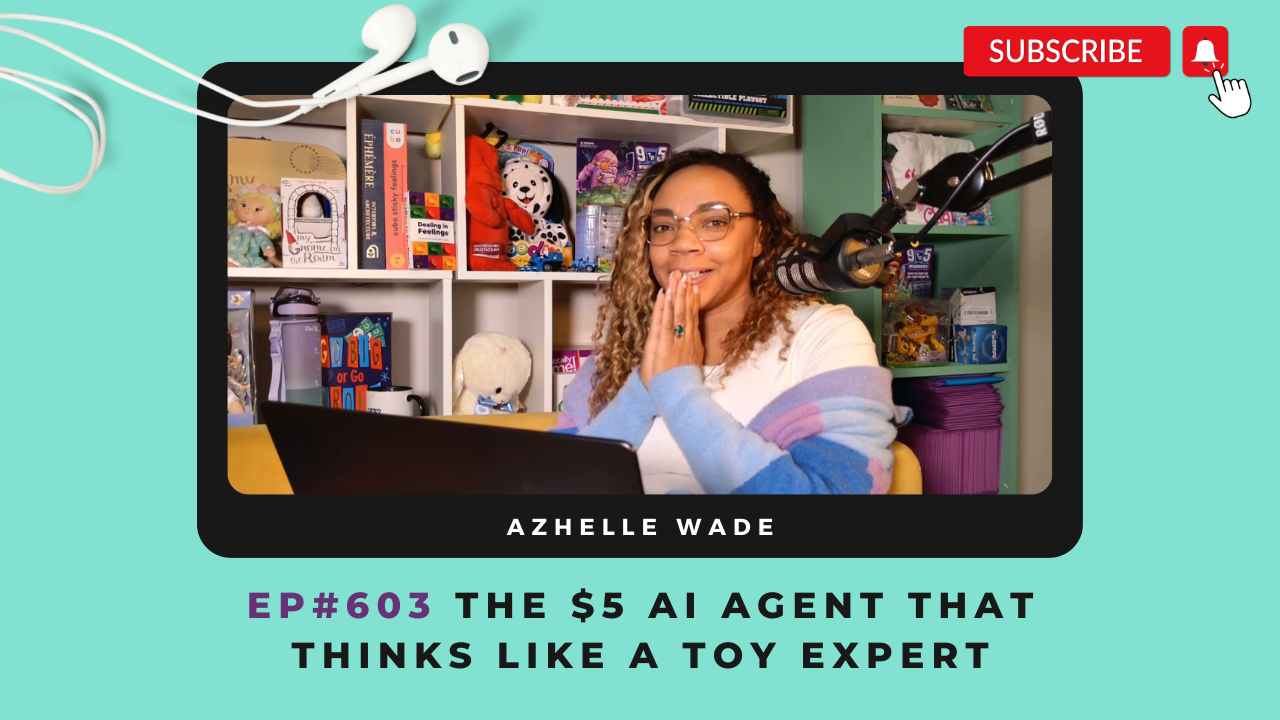
My new AI agent completed 2 months of research and idea development work in 20 minutes! And the cost? About $5.
If you bumped into me at New York Toy Fair you already know how excited I am about the AI integrated automations I am currently building. The ability to utilize AI reasoning in everyday business tasks will soon be the defining rift between thriving modern businesses and those struggling with ancient processes, overworked employees, struggling to keep up with workload.
If you are one of those companies whose employees are struggling with the number of products on your line list, or the number of POs they're processing daily, you cannot afford to ignore this episode.
Before you lose your talented team because you're overworking them with tasks way below their paygrade, listen to this episode and learn how you can give them back more time to be creative, feel inspired, and LOVE their work. Let AI handle the research, and let your creative team flow in their zone of genius.
In this episode I'm sharing a few AI agents I've created that are doing just that for me. Giving me more time to write, design, plan, and build my business and that of my clients.
If you plan to be in business in 10 years, you absolutely need a personalized team of AI agents. And this episode is how to get started.
💜 Welcome, Toy People! 👋🏽 Thanks for being part of this playful community.
For the links mentioned in this episode visit: thetoycoach.com/603
Mentioned In This Episode
AI Resources Page:
thetoycoach.com/ai
Have an idea for a toy or game? 🧸 Click here.
Do you have an idea for a toy or game that you think could be the next big thing? Join the Toy Creators Academy to learn how to bring your toy idea to life! Or book a 1:1 call with Azhelle to get personalized guidance on your toy journey.
🔗 Episode Transcript
Episode 603
[00:00:00]
Azhelle Wade: You do not have the luxury of a ignoring AI. now that I have uncovered this use case of ai, I cannot see a world in which it doesn't matter if you have AI integrated properly. In 10 years time, businesses that do not integrate AI and AI reasoning into their processes will not be able to compete.
You are listening to Making It In The Toy Industry, season six, episode three.
Hey there toy people and welcome to the Play-jama Party. Yes, my voice is a little raspy due to New York Toy Fair, but I've got my hot chocolate here.
We're cozied up in our PJs and we are gonna dive into AI right after a super quick toy. Fair [00:01:00] recap.
we found out at New York Toy Fair that unboxing is expected to be a $30 billion industry this year in 2026. So we saw a lot of companies going after kind of collectible, mystery, unboxing lines, and there are somes that are favorites of mine. Others that I think try too hard. We saw a lot of bag charms in size like Labub
We heard people say that they had bag charms before, but they blew them up in size due to the success from Labub you know, the companies that are following the footprints of Labu Boo are, feeling very on trend and really excited about these new projects.
But when I spoke to some retailers, and other industry experts, they feel that this is actually on the downtrend But what I do have to say about bag charms from a consumer perspective, I was never really that into them. But I was gifted a acute care bear bag charm, and a capiberra.
And actually having them on my bag, did put a bit of a smile on my face. Life [00:02:00] is hard. the US is on fire, and those back charms do put a smile on your face if you're a kidult. So I'm starting to wonder if there might be a little longevity after the Labubu craze.
We saw a lot of, investment in evergreen ips, toy companies that own ips that, have a very strong fan base like, magic, the gathering like Dungeons and Dragons. Like He-Man, they are really investing in those legacy brands and they're looking at how they can reach their consumer at a younger age, to get them more involved in the ip.
We also saw a ton of botanicals in building sets and plush, so big this year. as are Japanese collectibles.
are a lot of companies partnering with Japanese brands The one other thingwe saw a lot of food.
Theme food is in, food plush, food collectibles, food fidget toys. And a lot of butts and farts as well. there was a brand called like Everything [00:03:00] with Butts or something.
If you want a report on what I found at Toy Fair, subscribe to our
YouTube channel. Okay. but no pun intended. Let us focus up on today's episode because this is a season all about ai.
I'm about to blow your mind with ai.
I spent six hours building something that pre AI would've probably taken a team of developers weeks. the tool I used to build it I'd never used before. and the craziest part of all of it is that I worked with AI to build this, that I problem solved with my AI tool to build this.
I caught its mistakes. It caught my mistakes, and by the end, I was predicting what would break in this automation that I was building before it even happened. This is what can happen when you start to treat your AI chatbot as a tool to [00:04:00] creating an AI automated system in your business.
Instead of using it like a pickax, a pickax that is crafting content at request, that you are rewriting time and time again.
We are gonna pull back the curtain today on exactly how I built an AI powered content strategist for my Toy YouTube channel, one that analyzes toys through my signature, Make It Toyetic framework, researches competitors, and gives me data-driven recommendations in seconds.
Now, if you are in the toy industry, before you close your mind and say, but Azhelle, I don't have a YouTube channel, I don't need that. I want you to think. more open-mindedly, and I want you to imagine that instead of analyzing YouTube, this AI tool is analyzing competitors for a product you're about to create.
So in this example that I'm gonna give throughout this podcast episode, every time I say [00:05:00] I put in my YouTube idea and the AI analyzed my YouTube video competitors for toy reviews, I want you to think I put in my product idea and this AI tool analyzed my competitor sales data on Amazon and gave me back insight.
Be open-minded. This could change your business. By the end of this episode, I'm hoping you are gonna walk away with an understanding of the four phases of building with ai, why the AI and human partnership matters more than just the code. But before I tell you how I built this, I wanna tell you what it does, because if you aren't mesmerized by what it can do, then how it happened isn't gonna mean anything to you.
the first AI agent I ever made, and I made this about two weeks ago, was my YouTube content agent.I had heard that you could make an AI tool that you could message on Slack and it would do stuff [00:06:00] for you, like schedule things in your calendar and help.
And I thought, I'm using Slack now with my TCA accelerator clients so we can communicate. I would love to be able to use Slack to communicate with, let's say chat GPT instead of having to like, go into the chat GPT every time. And get lost in like all the ideas that you have in in chat GPT.
Right. So I looked into it. I built an AI agent, that I can put in the name of a toy product like Disney's Ultimate Stitch. Or I can put in an idea like $100 at Target versus Walmart. What does it get you? And I could put that into a private channel on Slack. And within a minute I've timed it a minute.
I will get back, research that my system has implemented, research that includes pulling my own current channel data, competitor. Videos related to my topic idea and, Run those ideas [00:07:00] through my YouTube strategy and my make it toyetic framework for analyzing toy ideas and spit out in the same slack conversation a clear recommendation.
The recommendation levels are strong needs revision or drop. And a full explanation of why I was a kid that asked a lot of questions. I need to know why, so I can learn now this is work that I typically budget three days for whenever I set up a new video idea in my project management tool, Clickup, I mark three days for this specific task.
This three days of manual research, watching competitor videos, checking view counts, thinking through my toyetic framework, searching for keywords now literally takes 60 seconds.
But it doesn't just give me information and data, it gives me an AI reasoned decision. And I have built in to this system a way that I can accept the [00:08:00] AI suggestion. I can say, let's do a revision on that suggestion. Or I can say to drop it, I've built an AI empowered automation that. Allows me to stay out of the tools that distract me and stay focused on the tools in my business that keep me focused on my work.
And the tools that keep me focused are tools like Slack and tools like clickup and things that get me distracted are doing searches on Google for videos and going down a rabbit hole on YouTube and looking at product research on Amazon and trying to summarize all that manually inside of Chad GPT.
that amount of context, switching between four to five different sites and apps has sucked away a day without realization, It can suck away time immensely with this. AI empowered automation that I've built. I no [00:09:00] longer leave the apps that are focused on my business's productivity.
I can now listen to classical music while I wait for the research to come in and with my own insight and knowledge of what's going on in the toy business. And when I do have time to do YouTube research at a separate date and time, I decide if I agree with the data and the output that I'm given.
That is the difference between using AI chatbots on demand and automating AI reasoning into your workflow. Automation is a tool that moves data around, and I have to call back here to podcast episode 1 0 8. If you don't know what automation is, if you don't know what tools like Zapier and make are, you need to go back to the Toy coach.com/ 1 0 8.
Automation allows you to do things like anytime you get an email that says payment [00:10:00] failed. Send that email to this team member. That's automation ai, empowered automation that utilizes AI reasoning allows you to say, anytime you get an email that says failed payment, I want you to read that email, understand that email, research that customer's history on our database, and then formulate a response based on how long they haven't paid based on their customer history and their relationship with us, the products that and services that they've bought, draft a response and then ping it to me in my project management tool to review and send it upon my approval.
That is the difference between AI empowered automation in my work with it so far, it feels like an intern.
All right, I have to give you key phrases that you're gonna need to know for this episode. make.com or make, if I mention make or make.com. That is an automation platform. It is a [00:11:00] platform that makes it possible for you to automate, things in your business like.
Like sending an email when somebody sends you an email that says a specific word or keyword, that is what I'm referring to. if I say steps in, make, and you see a diagram on the screen with little circles, all of those circles are steps. They are actually called scenarios in make. But for simplicity of this conversation on this podcast, I will be calling them steps.
If I mention Zapier, Zapier is the same thing as Make. It is also an automation tool. You can do a lot of the same things you can do with make, in Zapier. If I mention AI agent, an AI agent is an ai. That is empowered to take action autonomously without you.
That is what makes them an agent. That autonomous ability to essentially take data, you've given it, think, and then do something with that data, even if what it's doing is just creating a draft that you have [00:12:00] to approve.
But thinking about it and then putting it somewhere that autonomous action, is the agent doing agent stuff? So if I mention I created an agent, it's something that has the ability to, to autonomously make decisions and do searches and do things on my behalf before I interfere.
automation moves, data round. AI thinks before doing it. Alright, so as I said at the top of this conversation, I want you to think about this from the perspective of your business.
If you are launching a toy business and you're thinking like, oh my gosh, I have an idea for a plush that glows in the dark because kids are afraid of the dark. I want you to, have the power to type into your Slack channel and say Idea four plus that glows in the dark and have it do competitive research on sites that you choose, that you design it to do research on.
And. bring back the important data to you that [00:13:00] you need to know to make those decisions. And if you are really particular about your decision making in your business, like say, okay, angel, I could create this AI automation, but if I bring this report to my boss, he's gonna say, cite your sources.
You can get the AI to cite sources. So no excuses really here. This is something you've gotta learn. All right, so let's get into what this tool I created Like how is it pulling back all this data?
What's actually happening on the backend?
My YouTube production process has three stages. It has the pipeline stage, which is ideation. It has the production stage, which is filming and editing, and then it has the publishing stage. So I thought, okay, great. The pipeline stage went from three days to one minute.
Amazing production stage.I still wanna be on camera. I enjoy recording I enjoy editing and I enjoy working with my editor. But publishing, oh, huge, huge, huge bottleneck. So I thought, can publishing be [00:14:00] automated?
with YouTube, Every video needs to be published to the YouTube channel. Every episode has episode descriptions and keywords and captions and, thumbnail images. And I thought, oh my gosh, you can't possibly. Automate all of that stuff
well, my friends, you can totally automate the uploading of something like a YouTube video. So what this should signal to you is automating the upload of, products to your website, automating the upload of content because
if you are uploading content about your product, to YouTube daily, it's possible to make an automation where in one click your video gets uploaded to YouTube with your description, with your keywords, with your predefined thumbnail. that process of uploading videos to YouTube, something that could easily take a few hours because you wanna make sure that every piece is right.
Organizing all those files and getting them all together, that can take time. Opening tabs. [00:15:00] Closing tabs. You're in YouTube, you're in Word, you're in Docs, you're in
there's a lot of tabs switching, context switching, just to get it all to one platform. With, AI empowered automation, you can upload to this one platform and generate keywords and descriptions that work to get that video the most possible views on that platform. So I took down my YouTube pipeline process from three days to one, my publishing process from anywhere from four hours to again, two minutes, and those were the first two agents I built.
and those were the first two agents that I built. And those two agents are gonna help alleviate so much pressure off of me, for the content side and the marketing side of my business, and allow so much more time for me to work with my clients. So before I dive into some of the agents I built for my Toy Biz clients, the agents that you're gonna be interested [00:16:00] I wanna talk a little bit about like what's under the hood of the agents that
I made for me. Okay. So first up, the first agent I talked about the YouTube content vetting ideas agent. So what was important to me was that this agent was doing a ton of competitive analysis. Let's say I just walked into a toy fair booth and someone handed me the new Barbie. I wanna put in the name of that Barbie and then have a full competitive research done, have title suggestions and have keyword suggestions.
And know how many views my video could get. So that's exactly what I had the AI tool do. How did I do it?
I'm gonna pull it up right now.
what happens in this AI agent is I send a message to a private Slack channel, right?
And that agent pulls out the data that I send. If I send the name of a toy like Disney's Ultimate Stitch, it will pull out the data of that.
Then it is going to use ai, and generate, three different [00:17:00] search queries based on what I input. And it's also gonna generate a better version of my input. So say I put in Disney's Ultimate Stitch, it will generate a toy review of Disney's Ultimate Stitch,
then it also creates three searched queries. if you wanna relate this to developing a toy idea, if you were researching a toy concept that you were thinking about doing, you would do different types of searches online to see if that toy's ever been done.
So I'm gonna do different types of searches to see if the video idea I have has ever been done. So I might search in the example of Disney's Ultimate Stitch, I might search something like, Disney, ultimate Stitch Plus Review, or I might search something like, is Disney Ultimate Stitch Scary or Fun?
I might search robotics stitch from Disney Review by a toy designer. So that's what this AI tool does. It comes up with those three different searches that I would normally run, and then it runs them. It actually searches them on YouTube and pulls out the data of the results of the top 10 [00:18:00] videos that show up in that search result by views
once it does that, it's gonna now have 30 different results of competitor video. So imagine for you 30 different results of competitor toy products . Then it's gonna go through another AI tool. So like all of these steps are like, I know if you're watching the video, you're like, okay, Azhelle, you describe like three steps, but there's like 10 little circles that are representing all these steps.
All these little circles are kind of like steps to pull out data,So don't worry about that. Like, it's just like a little bit more technical stuff. But after it does those. The searches were over here, at this module where it says Claude Build Prompt.
And what that does is it tells it to analyze the videos that it pulled and it searched, and then it has Claude decide, Claude is the AI tool that I'm using. Then it has Claude deciding, which of those videos are the most relevant to my original idea. And those are the videos we're gonna analyze for [00:19:00] the purpose of giving me my, my insight.
So it does that. And then It also pulls the average views of the competitor videos. It pulls my channel's average views so that it can tell me, Azhelle, you're likely to get this many views on this video, based on what you normally get and based on what competitors get.
Then we do one final, ai, API call in which we're asking the ai, okay, now that you have all this data from gel's channel, from the competitor channel, from Gel's original idea, now tell us what your recommendation is. Is this a good idea? And we're telling it in this prompt.
What are the frameworks to guide by? So like there are YouTube standards, there are standards I have for products that I like to review. So In this step, we are telling it I need you to analyze these videos against Azhelle's Toyetic framework YouTube standards and tell us if this is a good quality video for her to work on.
And again, for you, this would be telling you, is this a good quality [00:20:00] toy idea to work on? Then once it has all that insight, we just format all that data so we can easily pull it over into our project management tool.
And then after that we get a analysis, back in Slack. So, basically. This AI tool will respond to us back in the same conversation in Slack, and it will either say, great idea, move forward with it. Here's the things to consider. It gives thumbnail suggestions for those videos. It gives topic suggestions.
It even gives some script suggestions. It tells you what your average views are likely to be on the high and the low end. And if it's a bad idea, it does the same. If it needs revision, it does the same. this tool has done its job and then I've stepped in and I've created the video, I've recorded the video, and now it's time to publish the video Agent number three, the YouTube publishing agent comes in.
when a YouTube video is in my project management tool, and it is almost done, it will have a link to a, MP four file that has been edited by the editor and approved by me. [00:21:00] It will have a link to a video description that's written by me.
It will have a link to a thumbnail that's usually made by me, and it will have a link to subtitles. There is a setting in my project management tool to say that a video is ready to upload. When we drag that video as ready to upload, that triggers agent number three.
agent number three is watching constantly to see if there's a video that is ready to upload. When there is, it pulls all the data from that task. It pulls out the video, file id. It pulls the transcript, file id, it downloads the video from where it's living on my team's drive. It downloads the thumbnail from where it's living on my project management tool.
It downloads the transcript from my team drive. It also, uploads the video to YouTube. It sets the thumbnail image on YouTube. And then because we don't have the ability to add. [00:22:00] Subtitles or captions directly to YouTube, it sends a reminder through clickup to the team member who did this, to say, Hey, you've gotta manually upload those captions.
Then it sets the status to go live. after that, all of those steps that I just described are mostly just automation steps. They don't require AI to execute those steps.
But AI did help me build the automation, where we use AI Next is the building of the content to promote the episode. Whenever you create a YouTube video or a product, you have to create the content to market it, right?
So what the next step does is it creates a full document that, builds out an inspiration document for our newsletter to go out to our list to let them know that we have a new video, and that will include the episode title, the description that I wrote, the keywords that are important,
It helps me with [00:23:00] ideas for what thatnewsletter could be about to link back to the video. It also writes a blog post about the video for me that I can review, Not only that, it actually formats the blog in such a way that I can completely post the full HTML
And once the AI generates all of that information, it puts it inside of a template document that I've pre-created in Google Docs, with links so that me or a team member can easily upload the content that was generated. It also adds a, task in Clickup to let people know that like content is ready to be reviewed.
And same thing with Slack. It goes back in Slack and sends me a note like, Hey, content is waiting to be reviewed. And the last step in this automation is just to make links inside of the Google dock it created clickable, because that's something that doesn't automatically happen when you create docs in this way.
So those are my two AI automations that I'm very, very excited about. I hope that you got a, an understanding of where we are.
Okay. [00:24:00] I noticed at Toy Fair, a lot of people. We're just afraid of ai. There is a huge fear in the toy industry about ai, but let me tell you something, you do not have the luxury of a ignoring AI. In 10 years time, businesses that do not integrate this tool will become obsolete.
Businesses that do not integrate AI and AI reasoning into their processes will not be able to compete. I explained this to a friend of mine at Toy Fair with an example of my own work. When I first started the Toy Coach and I was so busy putting out podcast episodes every week, and I was so busy working with clients and doing TCA and doing virtual pitch events and work, work, work, work, work, people would always ask me, oh my gosh, Elle, how do you do it all?
How do you do it? Well, the answer was, I didn't have kids and I didn't sleep. You know, that was the truth. I worked all the [00:25:00] time.
That work ethic is what got me here today. With ai. You will be able to do that much work without needing to not sleep, without needing to not have a family, and eventually everyone will use it.
Every new company will be using it and they will be using it in the right way. And little by little you will start to wonder, why am I losing clients? Why am I losing sales? And it will be because your efficiency is lacking and your deliverables are not as polished and it won't be because you are any worse at your job.
It will just be because everyone is going to get that much better. The companies that don't fire everyone in favor of ai, I are actually gonna be even more buttoned up than the companies that do because imagine someone having these tools at their disposal. And having an [00:26:00] incredible team to perfect the output of ai.
I mean, that is what you should be afraid of, you have, you have to, you have to understand it. You have to integrate it. If you plan on being in business for the next 10 years, like, I mean, now that I have understood and uncovered this use case of ai, I cannot see a world in which it doesn't matter if you have AI integrated properly.
Now, What you really need to know is next week's episode, when I share the foundation your business needs before you can implement ai, that is gonna be key. This episode is to get you excited and I hope it does, and I hope you want to do the work that I describe here.
But before you can use AI to its fullest extent, you need a certain foundation, you need a certain organization. it cannot be, your business cannot be a mess. 'cause the AI needs to be guided.
There are ways to use it if your business is a mess, but it won't be accurate and it'll cost you more money, because it will cost you more tokens, which [00:27:00] is data.
I was talking with a friend of mine, Daniel, and he is very much into ai and we are just like each other's cheerleaders when nobody understands what we're so excited about. And I asked him, I said, how many small business owners do you think are using AITo the degree that I am describing in this episode with agents doing work in the background.
And he said, about 10%. and we talked about how many enterprises, are using it. He said most of them, but their data is a mess because their systems are disorganized so they can't use it to its fullest extent. So the people that have the biggest opportunity are the small to medium sized companies who can take the time to organize but the number one people who are gonna be able to make the most out of this.
Mm, new businesses because you can set up your business from the get go to utilize this in the best way You don't have to lose any time
I told you about my amazing agents Let me tell you about an agent I built for one of my [00:28:00] clients and let me tell you about some of the agents that I have envisioned and I will be building over the next couple of weeks that you as a toy industry, manufacturer or a small toy company are going to want, baby.
One of my clients, has a collectible brand and this brand has already over 40 SKUs and they will be continuing to add SKUs. And so we have a running line list and as any small company, it's begins as just an Excel, and this team, they are a husband and wife team with lots of other responsibilities.
And as I'm working with them and I'm working my limited studio hours that we have together, we're trying to get their site running and I'm realizing we are not gonna have time to upload all of the SKUs that they are building and that we are photographing and that we're writing description for. Can we use AI to do that and Oh, baby, yes I can. Yes, I did. I made the [00:29:00] coolest. I mean, I did a dance when it worked. I made the coolest, AI tool for them. Actually, because we are recording video. I'm gonna pull it up right now.
So for this client, I created a Shopify publisher.
I know you're thinking like, oh, that's just publishing products on Shopify sounds like something like any automation can do. No, because within this, automation, I created three key AI integrated steps. Right. So the first thing that happens is the client. We have this master line list where they put their product name, the item number, the description and all that stuff.
it's a collectible. So there are different additions, and we have different character types. The characters are like doing different things. In every edition there are different materials it's a lot to manage. So what we do is every time an item is completely filled out, and set to publish, it can either be set to publish as immediately active on Shopify, or it can be set to publish as, a draft
That's when [00:30:00] this automation is activated. the first thing it does is look for something within the line sheet called brand settings. So I created a separate tab on this line sheet that is the home of their brand settings and their brand voice.
So like, how do they, like their product descriptions written? What is their brand voice? Is it cheeky? Is it fun? Is it sassy? Like is it, I don't know, aggressive? Like all of that's explained in the brand settings. And then it looks up the character profile. So say they had a character called Bob, and that was the one that we said to active.
It looks up the character profile for Bob, and the character profile for Bob holds all kinds of data. It holds Bob's favorite color. It holds Bob's best friend. it could hold where Bob went to school. It holds what Bob looks like, what Bob likes, what Bob doesn't like. It's like a whole character world because it's a collectible.
And collectibles need to have worlds, and that world has to make sense with all the other characters in the world, right? So after that is where the AI [00:31:00] magic happens. The first AI thing that happens is a data quality check. So before moving to any other stage,
this checks to see if everything on Bob's line makes sense. If Bob's images linked are the right images of Bob, if Bob's description written is actually of Bob, it basically just is a check to make sure, like, all right, did they actually fill everything out right on the Excel row? After that, it goes into a product description of Bob.
So, as I said, for collectibles, all characters need to be related. The story needs to make sense. It's gonna generate a character description based on the presets of Bob, who's Bob's best friend, who's Bob's like. Enemy who's what's Bob's favorite color. It's gonna do all of that. After that, it's gonna generate ai smart tags and SEO.
This is a step that I know so many new business owners skip in Shopify because you're so busy. After you make the product, you got the description, you got the images, you're like, I am done. I just wanna put this thing on there. I don't wanna even, why am I [00:32:00] doing more work, is what you're thinking, right?
Well, this will generate the smart tags for you. And those smart tags are so important for people searching for products like yours to be able to find it. Those will be generated along with SEO keywords All that info is then parsed, pulled apart and sorted and organized. And then the next three steps are uploading it to Shopify.
First it creates the product listing. Then it updates that product listing with variant information. And then it updates that product listing with the images. The images is my favorite fricking part. Okay. when it's updating that Shopify listing with the images first, it's searching the Google Drive that we have for all of our files for the folder name of that character, like Bob with a hat, let's say.
It searches for Bob with a hat. When it finds Bob with a hat, it goes into that folder and downloads all the files. Those files are properly named, sequentially named. [00:33:00] Honestly, it could just say 1, 2, 3, 4. But you know, we're a professional company. So it says Bob with a hat one bob with a hat two, Bob with a hat three, four.
Then it uploads those images to that Shopify it adds those images in sequential order. That's why the order is important and it updates the inventory level as was indicated on the sheet. The last thing it does is it updates that sheet to say, Hey, this item was updated and is ready in Shopify.
And it also updates that sheet to fill in all the AI generated information. So what's great about that is you can actually read the, AI generated information in the sheet and know what you're gonna change before you even jump into Shopify. So I wanna point that out because one of the big benefits that I see with AI integration and in automation is keeping us in one app, in one task, and keeping us from context switching.
Because even though in your mind you're like, I'm working on uploading my [00:34:00] products to Shopify today, going from the Excel sheet where you're line list is, and you're used to like looking at these rows. To Shopify and seeing things laid out in different ways and seeing notifications of sales or errors in shipping, you get distracted.
You end up doing more than what you came there for and not finishing your final task. So this, ugh, this automation just reminds me of how important it is to be able as founders and even as employees, to just stay in one task at a time. So that is one automation that I created for my client.
What is so amazing about the AI integration of this is one, creating product descriptions with your brand voice without having to type in a new fricking prompt to Chat GPT every time or to claw every time. And then without having to copy that over into a doc and save it, and without having to copy it over into Shopify.
It literally does all of that for you in a second. And then now you can have characters with stories that evolve over [00:35:00] time, that AI is helping you write and evolve over time. now we can focus on, making that one first brand story that AI is referencing as detailed and rich as we want.
And because imagine if you have like one character Bob and Bob has like 10 different looks and you're like, oh I have to write a description, a product description for Bob for 10 different looks. And they all have to be sellable. But imagine if you could say, or I get to sit down and write a full page about just Bob, what he's into, what He's not into different hats.
He does wear different hats. He doesn't wear his favorite color, his best friend. And then for the specific listings, the AI will actually generate the description for you. It's just, it allows you to focus on creating. instead of creating the marketing.
Oh, I love it so much. I'm sorry I have to be quiet. My baby is sleeping, but I love it. I'm so excited.
And now I wanna tell you what [00:36:00] AI system I end up playing next. I have two in mind, two in the hopper, two that I just can't stop thinking about. Okay. Number one, I am going to create an AI tool that will allow you to put in your product description and will pull out the perfect factory to help you with that product.
It will look at data. From past customers, it will look at data that I'm gonna put in about those specific factories. And based on what you wanna create, it will pull out the perfect factory for your product and the perfect, intro email that you should send that factory to start your communications. Are we excited? I am excited. Oh, no more parsing through a sourced list of like 10, 20 different factories. just get the one. Just get the one and then what? You can run it again. Get a two, get a three. And having the intro email, we can even set it up so it sends the intro email [00:37:00] for you.
we could set it up so that you enter your product idea rough like materials it's gonna have and use how it's gonna generally work and it will. Find the factories, draft the email and send it for you. If you let it, I can do that. And I am so excited to start the next one. This one's gonna blow your mind.
I was sharing this one with, the owner of, Scentco and he seemed excited about it. we're building an AI tool that will allow you to enter a zip code, identify stores in that zip code, and then pull demographic data from that zip and thenFormulate a pitch for your product for that retailer based on demographic information. And that is just layer one.
that is just gonna be an incredible outreach tool.We could integrate having your product auto shipped to certain places.
It is really like the opportunities are wild and I hope that you're seeing why [00:38:00] I'm saying that. In 10 years, a company that does not integrate AI will not be able to compete because of things like this.
So those are a few things that I'm working on. Very excited about them.
Okay.
now let's get into the meat of this episode. The How I Built This of This episode. If you are thinking Azhelle, I do not wanna build this, I wanna hire you to build this for me.
Message me info@thetoycoach.com. But if you are a di iyer, you're into this, you're into tech, you wanna do this yourself, listen up. I'm gonna share four key steps that you need to take to build this on your own. And it is going to involve utilizing AI to help you build it. Alright? The first thing you're gonna have to know, make.com.
That is going to be your main tool for creating your automations. Then you're gonna need your AI chat bot. Whether that is Claude, which I love, or chat GPT. You do need a paid version. Do not cheap out on an unpaid version.You [00:39:00] cannot get to this level with a free version of either of those tools.
So let's get into step one, how to map out that AI automation The very first step before building out an automation, like what I described, is you have to understand the full data flow. You have to understand what goes in, what comes out, and where AI fits in the middle.
what actually pushed me to start building out AI agents was I was actually crafting a job description.
And as I was building out this job description, I was getting so frustrated because, you know, the role was so low level, yet the level of precision required for it was so high. Like the tasks were very junior, but the accuracy needed was of someone very senior. Like you needed someone who was like very picky, but you needed someone with like very basic skills.
and this was for my role [00:40:00] of podcast producer, like someone who just uploads the episode essentially and uploads the information to the website. 'cause all that stuff takes me like half a day because of the context switching and the tab switching. But it's not high level thinking.
So as I was typing out this job description, I couldn't get over the cost. That was being recommended to me through AI and also, on Upwork for this role.
I was like, this does not feel worth that amount of money to me. Like I was really fighting with myself to just do the work myself. Granted, I know my time is better spent than uploading an episode, but I could not get it past my mind. I was like, I cannot see hiring for this and taking away from my profitability for such a low value role.
And I also, had a hard time thinking of hiring. an intern who would do this one important task [00:41:00] and trying to push them to do it in a very short amount of time to keep the cost low, and knowing that their monthly, income from this one role would be so minute that it would not be a long-term fit.
I'd be training someone in multiple tools only to have them stay a month. And this is something that has happened to me time and time and time again. So I literally asked this one question. I said, Hey, AI tool, could this entire job description be automated with ai, ?
And it said, well, yes, it can be automated. So I knew well enough to know that trying to automate something that complex should not be my first try. So instead of trying to automate that, I automated the YouTube idea assistant
So that's actually what inspired me to automate this role. And I know people are gonna be up in arms and say, oh my God, AI is stealing our jobs. Look, you just didn't hire someone and instead you hired ai.
But actually, you know what, this did? This freed me [00:42:00] up to hire a higher level person to do video editing instead of having to hire a lower level person to press a bunch of buttons and upload a finished episode that I probably edited. Now I have budget open to hire a really great video editor that I love working with, and I have been limiting my work with because I needed the budget for this other role.
So, I mean, look, the truth of the matter is some roles are gonna be low value and now some roles are gonna be higher value. And I love my video editor.
so the key teaching point from the step is this, don't start by thinking of the tool. Don't just run to make.com and say, I'm gonna make something. 'cause Elle said too, your first thing should be, what am I actually going to automate? What am I trying to make faster?
Okay. let's move on to step two, how to build and test and break. Your automation. So here's the thing about building with ai, it is not magic. You still have to test. Things will [00:43:00] break. You will be tired, you will be angry, you will want to give up. I hit so many walls with things like JSON parsing, with competitor data not being pulled through with clawed outputs that were like too generic because my prompt wasn't specific enough.
And because I hadn't learned about this thing called temperature, which when you're using AI in the backend, there's this temperature control that controls how creative it is. So zero is like not creative and like super logical. And then, one is like super creative and that might like make things up.
And it did. So like 0.5 or 0.7 is like a really good place for like a logical yet still creative answer. learnings like that. Is just something you can't skip.
So some of the issues I came up with, with JSON parsing and J-J-S-O-N is like a type of code. I came up with issues were like the AI tool was trying to get me to pull the data from the JSON code, with one tool. And it actually wasn't necessary. 'cause I clicked [00:44:00] around and I realized that like there was a way to pull that data from within the main tool that we were using.
So there was just like a lot of like trial and error. one of the best things with AI is being able to screenshot. So I was able to screenshot almost every step of building my automations and saying like, okay, I need to do step two. Did I do step two? Right? And it would be like, oh, change this, change that one thing to be careful with screen sharing.
When you're creating an automation like this, you need to use things like API keys and API keys or security risks if they are seen or shared online in any way. So if you're screenshotting, you have to make sure that you're not screenshotting and sharing data like API keys.
it's really kind of tricky to make sure you're not doing that if you don't know what you're looking at, like, you have to be careful that you're not showing your inputs and that you're not showing the screen that says like your security key info. And if you do, you have to generate a new security key and throw away the old one.
what saved time, was me thinking through AI's suggestions and actually [00:45:00] telling AI to think through its own suggestions. once I started to figure out how it all worked, was me jumping in and saying. Oh, okay. You think I should do this for step three, but what if I did this instead?
why don't we just do what we did in the other agent for this agent? And just going one module at a time, testing one thing at a time. And you know, you should use AI to debug. I would pass on error messages all the time and it would debug it so fast. But there were times where it was sending me in debugging circles and I was like, hold on.
I remember this problem. I think I can figure it out on my own. And I did it. It was really interesting. So the key teaching point from this step is if you give generic prompts, you are gonna get generic output. You have to give context about your brand.
You have to get context about how this agent works into your larger business framework. You have to give context about how this data will be used beyond just this one agent, so that you [00:46:00] can get better results. Otherwise you will end up like rebuilding things or fixing things and tweaking things a lot.
Like it really, you really need a lot of context. Step three, the collaboration, part of it all. So what was really interesting is like as I was building this AI tool, I realized that I started predicting what the AI was gonna suggest I do to build out the next step. Before it even responded. I even started to know when something wasn't gonna work.
Like it would be like, oh, just put this in here. And as I'm doing it, I'm like, this isn't right. Like, I remember doing this similar thing and it didn't work. it's really interesting. people say, AI is taking all of our learning and we're not learning anything from it.
But honestly, I would've never been able to code an automation at all like this complex without ai. And with it, I learned so much that I am now interested to learn more about foundation of building those things. I started to recognize codes and data structures and tools.
I've been able to achieve something that I just, I wouldn't have spent the time, I wouldn't have been able to [00:47:00] develop. And now it's an ownable skill. Like, I own this skill, I own these agents.
Like this is something, not something I have to rent out from another business. This is mine. And I mean, it's, it's a huge investment. So the key teaching point here, is just. Know that the goal isn't to hand everything to ai. The goal if you're developing your own agents, the goal is to use AI to move faster with your expertise.
We are in the early stages of AI powered everything, and I believe AI powered toy industry research is coming. It's coming fast. I'm working on it, and I'm sure other people are too. It's important that brands learn to work with AI right now, not just to use it, but to be informed by it, to collaborate with it, and the brands that do will have an enormous advantage.
Whether you are a toy inventor validating your concept, a manufacturer tracking competitors or trying to stay consistent with your marketing about your toy [00:48:00] business, the same principles are gonna apply. You've gotta map what you want to build, what you're trying to get, all of the context about why you're trying to get there, what you believe in, what you like, what you don't like, and you're gonna have to test.
You're gonna fail, you're gonna refine, you're gonna perfect and you're gonna get there. Okay, so let's bring it home. Today you learned what you can do with AI integrated automations, how the power of AI reasoning in your toy business. We talked about DIYing, how you can build your own AI agent with make, like what are the four key steps, how to map out the AI automation, starting with your core decision.
Like, I want to automate the posting of this content to YouTube. How do I do that? Then two, how to debug module by module screenshots. Baby screenshots are your saving grace. Use them, use them. And if the AI says you've run out of your ability to send screenshots, create a new chat in the same [00:49:00] project and it will reference all the information in that same project anyway, and then keep sending your screenshots.
Third, you learned that you're not just being told what to do by ai, but you're actually learning from it and you're collaborating with it. You don't listen to everything it says. You need to pay attention to what it has you do and how those things work or do not work because you have something to offer and your way of thinking is different from its way of thinking.
And the last thing is, we covered how to apply this to your business right now. I talked about several agents that I'm making what you could do, and the potential for this is really limitless. if you are curious about what you can do with ai, please shoot me a message. Again, it's info@thetoycoach.com.
I'd love to hear what you are trying to do with ai. We do have an AI impact survey happening right now. If you go to my website, the toy coach.com, at the very top, you will see a bar that says, take the AI impact survey. Please take it. We will be [00:50:00] releasing an industry report, what the industry says about its use of ai, are you using it?
Tell me about that.
Next week, here's what to expect before you can implement. Any kind of AI in your business, you need a foundation. Your foundation is your organizational structure and your project management tool. They all need to be organized in the same way, the same naming conventions. So we are gonna go over how to use AI to help you organize so that you can then use AI to improve your systems.
You cannot skip this step. before I built these agents, I had been reorganizing my business for about a month, not because of ai. I just wanted to get organized. Being a new mom, I'm like, I need to be more organized, need things to be easier to find. It just so happened as I built these agents, I realized, whoa, the organization of my business and of my client's folders within my [00:51:00] business.
Made it so easy to automate the creation of everything we did for them. One example, the client that, I told you I made the AI agent to upload their project products to Shopify. that would've taken days had I needed to organize all of their product images into folders named after every character.
But because I already had all those product images named and sequentially numbered, it was so quick and easy to make it so that we could upload them to Shopify, with an AI agent.
Okay, listener. If you love this podcast and you haven't yet left us a review, what are you waiting for? Your reviews help me keep going to make these episodes and make sure that they are exciting and informative for you. But they also just put a huge smile on my face. So if you're like listening to my voice and you're like, you know what?
She's a nice woman. I want to put a smile on her face. You can do that by leaving a rating and a review. As always, thank you so [00:52:00] much for spending this time with me today. I know your time is valuable and there are a ton of podcasts out there, so it truly means the world to me that you tune into this one. Until next time, I'll see you later. Toy people